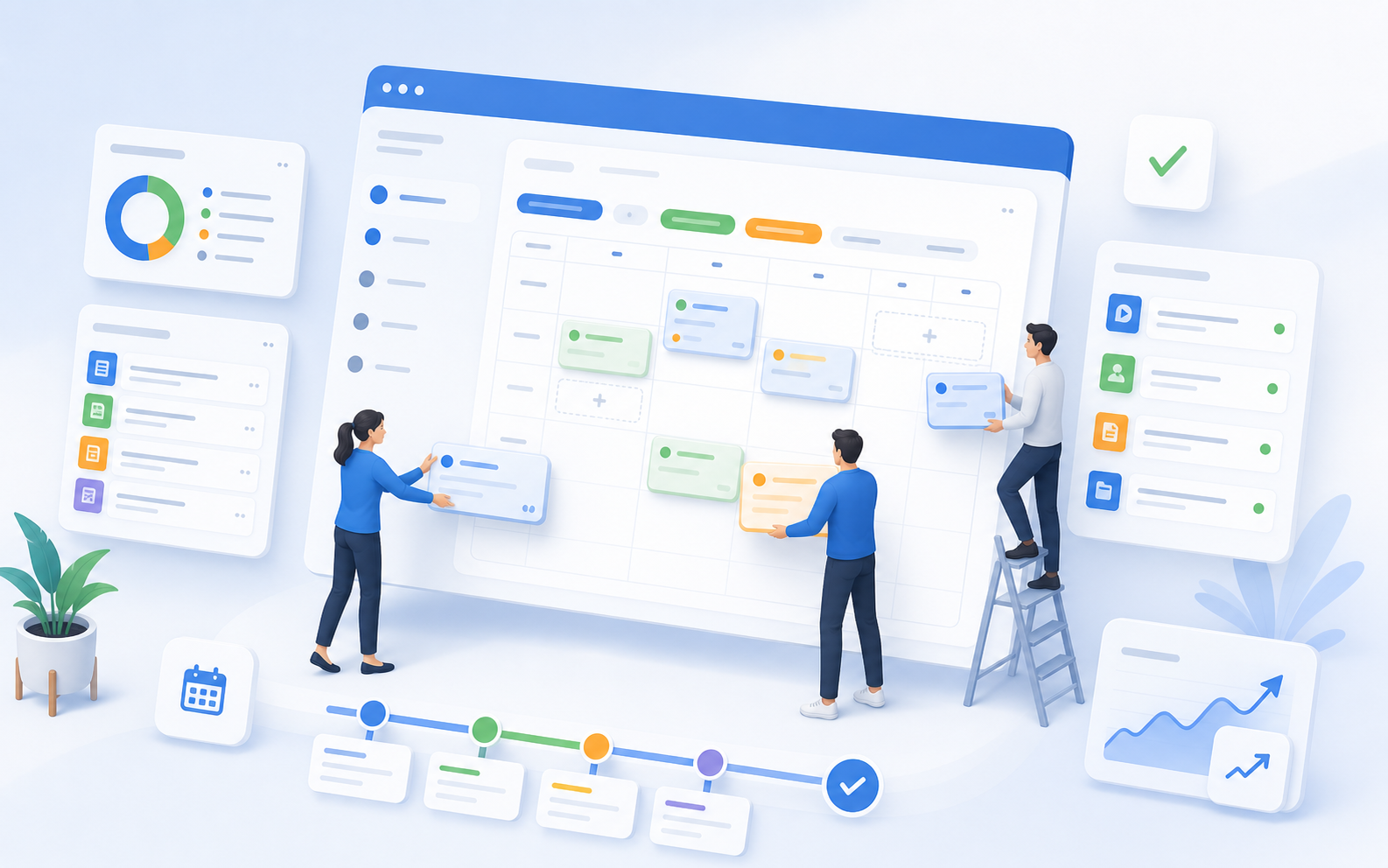
The Course Manager consolidates course offerings, dates, instructors, rooms, status, and availability into a single interface. This way, your team can see at any time what is scheduled, open, full, confirmed, or canceled.
Offers & DatesChoose Your Own AppointmentStatus LogicStaff & RoomsCalendar Feed
Less time spent searchingQuotes, appointments, statuses, and resources are all in one system.
Fewer Planning ErrorsCapacity, deadlines, and implementation status are visible before problems arise.
Improved BookabilityParticipants can clearly see what’s available and how the scheduling works.
Structure
Organize your courses to reflect the actual structure of your program
Categories, tags, descriptions, media, and multilingual content are managed centrally. This ensures that courses, individual events, workshops, and recurring formats remain easy to understand, even when there are many variations.
Planning
Reliably Manage Appointments Based on Status, Deadlines, and Availability
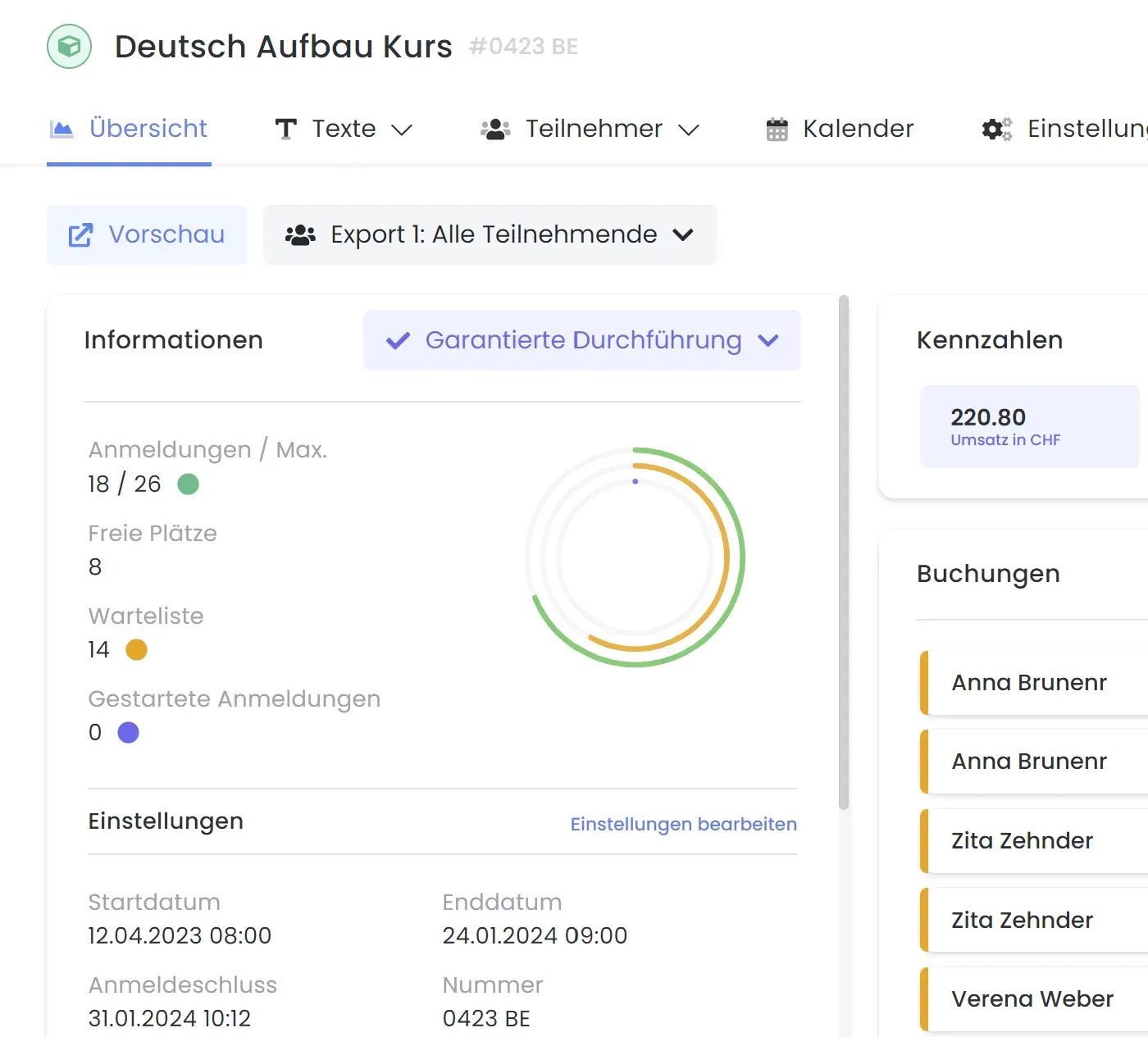
Each offering has its own calendar, supplemented by an overview of all dates. Status, registration deadline, minimum number of participants, and seat allocation logic determine what is visible and bookable.
In progress
From publication to confirmed booking, everything follows a clear process.
In edoobox, all relevant information is clearly presented to you. This allows you to keep track of your offers, customer data, and accounting at all times.
Call for Proposals & Status
Make offers with fixed terms or flexible scheduling visible and manageable
You define slots, statuses, and scheduling logic directly in the quote. This allows your team to see immediately what’s still open, what’s guaranteed to be completed, or what’s running low on time.
Waiting List & Group Registration
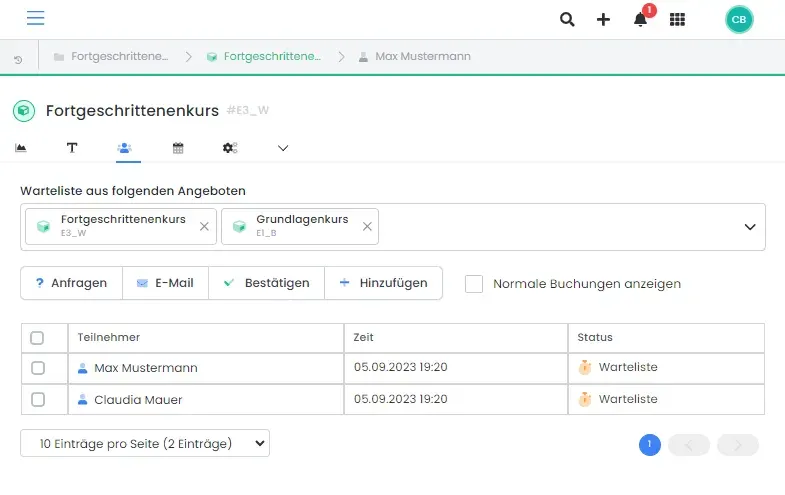
Fill open spots from the waiting list with just a few clicks
Open spots can be filled directly from the waiting list. Suitable alternatives and group registrations are kept organized within the same process.
Payment
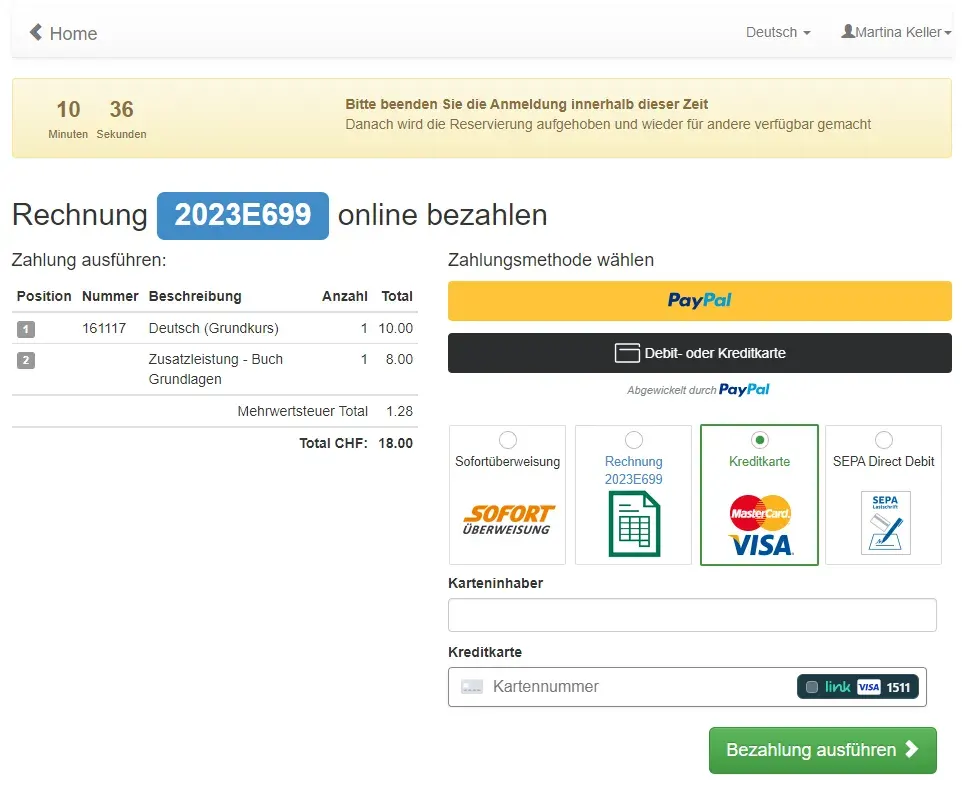
Process online payments and invoices directly within the booking workflow
Payment methods are requested and processed directly within the registration flow, without participants being unnecessarily redirected to the payment provider.
Invoicing & Tracking
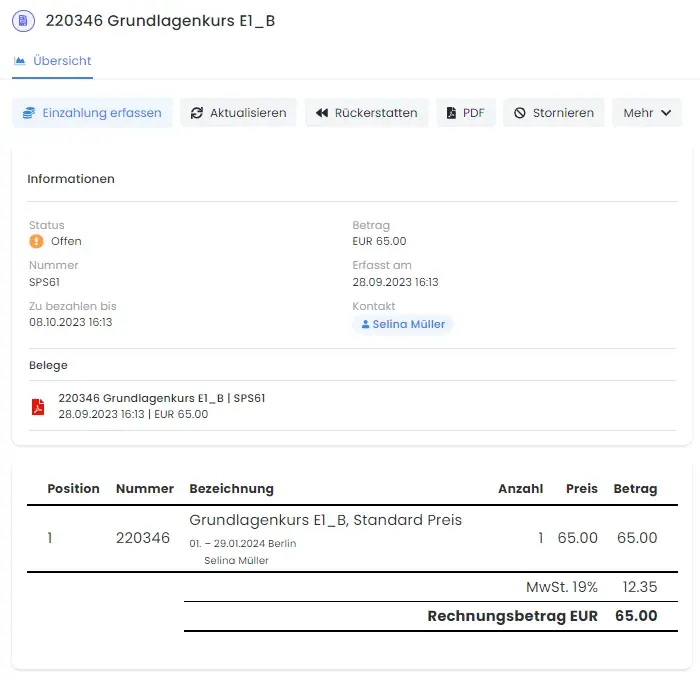
Keep amounts, due dates, and supporting documents traceable for each transaction
Invoices, payment statuses, and documents remain visible within the same entry. This streamlines back-office operations and reduces the need for follow-up inquiries in day-to-day business.
Core Areas
Why edoobox Gives You a Clear Overview of Your Courses at All Times
Structure
Organize your courses to reflect the actual structure of your program
Categories, tags, descriptions, media, and multilingual content are managed centrally. This ensures that courses, individual events, workshops, and recurring formats remain easy to understand, even when there are many variations.
Planning
Reliably Manage Appointments Based on Status, Deadlines, and Availability
Each offering has its own calendar, supplemented by an overview of all dates. Status, registration deadline, minimum number of participants, and seat allocation logic determine what is visible and bookable.
Implementation
Assign instructors, locations, and rooms directly to a lesson
Team members are assigned their own accounts with appropriate permissions. Managers, locations, and rooms are managed centrally and linked directly to individual appointments. With the exact address, edoobox can automatically display a Google Map during the booking process.
Posting Logic
Mapping complex pricing models without workarounds
Flexible scheduling, date-based conditions, filters, automatic status updates, and calendar feeds help manage modules, level groups, languages, locations, and dependencies between offerings.
Course Manager in Everyday Life
Plan, publish, and conduct courses with confidence
Organize categories, series of sessions, statuses, and locations according to a clear course structure. This ensures that your offerings remain visible and bookable online, and that your team can manage them in a transparent and consistent manner across all sessions.
Flexible Scheduling Lessons and modules can be booked flexibly Status Logic Controlled from design through implementation Global Calendar A complete overview of all dates
What the Course Manager Specifically Ensures in Day-to-Day Operations
Categories, tags, and media create a clear structure for both small and large course programs.
Standard registration and flexible scheduling options cover entire courses, individual lessons, and modular programs.
Status and Automatic settings control visibility, availability for booking, minimum number of participants, registration deadline, and cancellation.
Leaders, locations, and rooms can be clearly assigned to each event.
The global calendar displays availability and scheduling status across all offerings.
Calendar feeds allow you to subscribe to events in Outlook, Google Calendar, or iCal.
Proof
Why This Page Is a Decisive Factor for Course Providers When Making a Purchase Decision
Less time spent searchingQuotes, appointments, statuses, and resources are all stored in a single system.Fewer Planning ErrorsCapacity, deadlines, and implementation status are visible before problems arise.Improved BookabilityParticipants can clearly see what is available and what scheduling rules apply.
Frequently Asked Questions
Questions About Course Manager
Can I map out entire courses and individual lessons?
Yes. You can book a complete package or choose individual lessons, modules, or session components with flexible scheduling.
How does edoobox prevent invalid or duplicate registrations?
Positive and negative tag conditions can be used to control prerequisites, exclusions, and follow-up offers. This ensures that booking rules remain clear and easy to understand.
Can the facilitator, room, and location change for each session?
Yes. Leaders, venues, and rooms can be assigned to each event and taken into account in planning, communication, and execution.
Will I get a complete overview of all my appointments?
Yes. In addition to the program calendar, there is a global calendar with filters for program, location, and instructor.