Release notes August 2026
The edoobox release notes August 2026 bring additional questions for multi-offers, participant information, personal schedules and wallet updates.
Release points 24
status
Live Release
New features
- Additional questions for multi-offers New
- Participant information component Feature
- Personal schedules in tickets and booking documents Feature
Release overview
All innovations compact at a glance
Short explanation, direct benefit and, if available, the link directly to the instructions.
-
Additional questions for multi-offers
New featureOwn Additional questions can directly one Partial offer assigned, sorted and removed again. This means that only the questions that belong to the modules actually selected appear in the booking process. The answers remain assigned to the respective partial offer and are available both in the booking overview and in the extended export.For instructions -
Module for participant information
New featureIn Design manager A new module is available for active participants in a booking. Information can be presented as a map, list or table view. Data fields can be selected and sorted. In addition, names per language and shared file fields can be configured to suit your own process.For instructions -
Personal appointment schedules in tickets and booking documents
New featureTicket and booking PDFs can be supplemented with a personal appointment schedule. This only takes into account the partial offers and lessons that a person has actually booked.For instructionsDepending on the template, the date, start and end time, name of the sub-offer or lesson, location and room can be shown or hidden. Appointments can be grouped by date or output as a compact list. The appointment overview is specifically integrated into the desired templates; Existing documents are not automatically changed.
-
Manage multi-offers more reliably
UpdatePartial offers consistently use the currency of the main offering. Copying, moving, archiving and deleting complex offer structures was also further secured. This means that modular programs remain easier to understand in terms of administration and evaluation.For instructions -
Multilingual tag filters in Design Manager
UpdateSeparate public names can be stored for selected tags per language. The filter logic remains unchanged, while the booking page becomes more understandable in any language. -
Hide cancellation campaigns specifically
UpdateThe cancellation button can be hidden in the module for all bookings. A still possible one Revocation remains unaffected and is still displayed.For instructions -
Improved code editor in Design Manager
UpdateWith your own CSS and JavaScript adjustments in Design manager The code editor provides more appropriate syntax highlighting and more reliable saving.For instructions -
Conclusion of introduction improved
UpdateAfter completing the introduction, a clear summary of the steps achieved appears. The first booking can then be created directly or you can switch to the dashboard. The view is optimized for keyboard operation and takes into account the system setting for reduced movement. The introduction can also be exited in blocked intermediate steps using the close button or the escape key. -
More space for offer descriptions
UpdateOffer descriptions now support up to 50,000 characters. This allows detailed programs, learning concepts and blended learning offerings to be described more completely.For instructions -
Use offer names more flexibly
UpdateWhen creating a Offer Punctuation marks in names are accepted more reliably. The understandable offer name also appears in the booking overview instead of an internal name.For instructions -
Select PDF version centrally
UpdateIn the account settings you can choose centrally edoobox PDF v1 and edoobox PDF v2 be chosen. At the same time, the representation of Booking documents unified so that frames, headings and long labels appear more reliably in both PDF versions.For instructions -
Show price categories in booking documents
UpdatePrice categories If desired, can be displayed in booking documents even if there is only one standard category. This creates additional transparency for participants.For instructions -
Invoice overview with net, gross and sales tax amounts
UpdateIn the invoice overview there are optional columns for net, gross and Sales tax amounts available. Columns displayed are also included in CSV, Excel and PDF exports.For instructions -
Stripe diagnostics range expanded
UpdateIn the Stripe Settings The diagnostics area shows which payment methods are active on Stripe and which domains have been registered for Apple Pay. The current status can be reloaded. At the same time, edoobox checks the current booking domain and registers or activates it for wallet payments if necessary.For instructions -
Wallet payments in embedded booking sites more stable
UpdateThe edoobox embedding scripts automatically set the required browser permission for payments for booking iframes. This makes it work Wallet payments in embedded booking pages more reliable and configuration problems can be identified more quickly in the Stripe diagnostics area.For instructions -
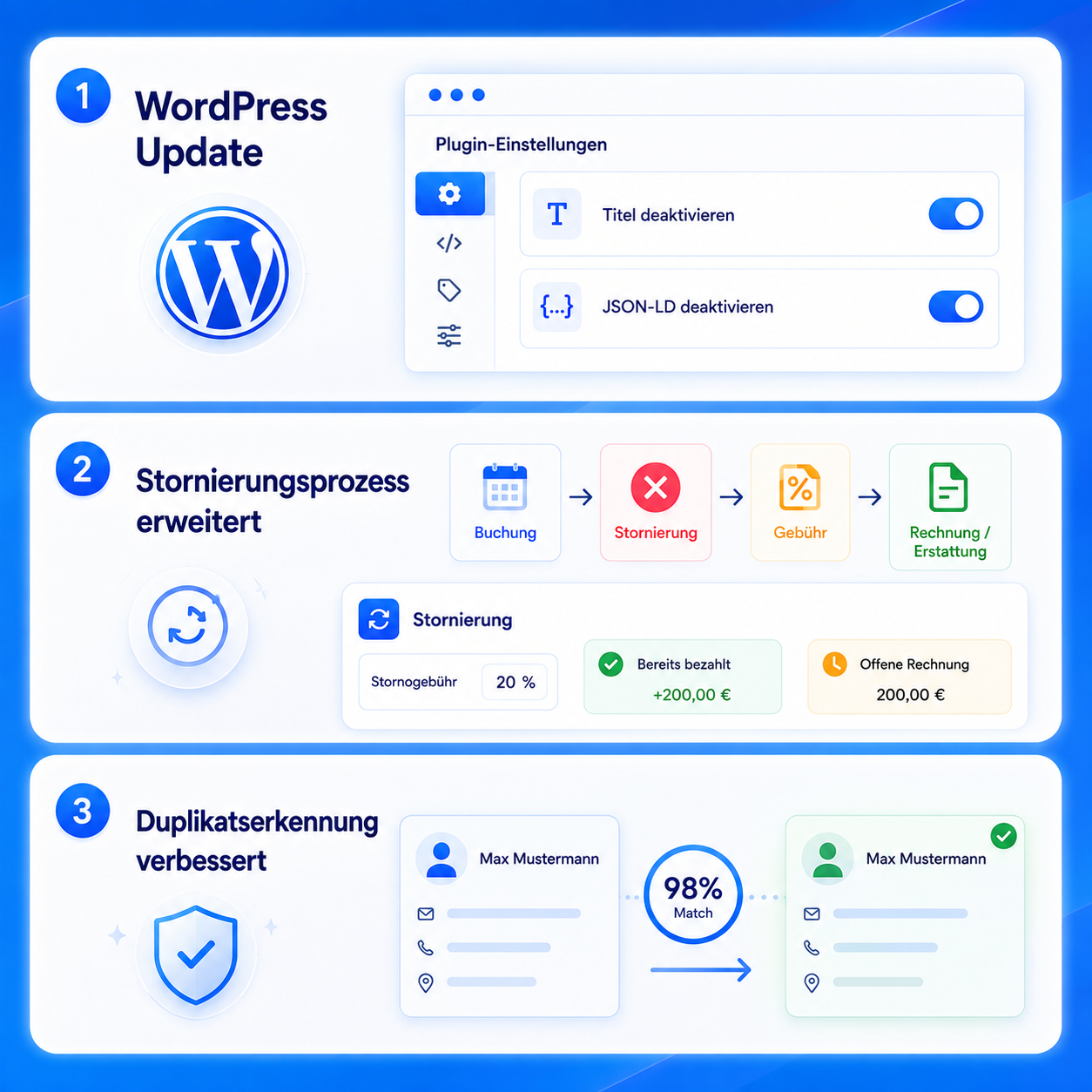
Finances and refunds more stable
UpdateAmounts paid and customer balances are updated more reliably after refunds. Also partial refunds as well as reminders and Cancellation fees are displayed and calculated more consistently.For instructions -
PayPal, rebookings and payment providers improved
UpdateRepeated PayPal-Confirmations no longer lead to double postings. Bookings that have already been paid for can be rebooked more reliably. Confirmation dialogs when disconnecting a payment provider also work more stable.For instructions -
Offer and participant views faster
UpdateOffer and participant views load more specifically and freeze less often when there is extensive data. Repeated switching between offers also causes fewer delays. -
Offer tree and large amounts of data optimized
UpdateThe offer tree specifically loads only the required areas. Large amounts of booking data are processed in manageable groups. Changes to extensive offer and category structures focus more on the entries actually affected and are additionally protected against incomplete tree changes. -
Attribute people more clearly in transactional views
UpdatePersonal data is loaded along with the associated transactions. This makes it quicker and easier to assign people in transaction views, especially when dealing with extensive financial and accounting data. -
Request lists more reliable
UpdateImports as well as acceptances and rejections in Inquiry lists take capacities, price categories, reservations and existing bookings into account more reliably. Repeated processes are better protected against double processing. Process rules are also displayed correctly again in administration.For instructions -
Appointments and documents stabilized
UpdatePlaces and rooms are changed when editing appointments as well as in ICS calendar entries more reliably. The display of booking PDFs has been stabilized for both PDF versions. Certificate downloads no longer unintentionally open multiple times.For instructions -
Login and access management improved
UpdateThe assignment of contacts when registering via Single sign on has been improved. Deleted contacts and outdated SSO links are correctly recognized or recreated when you log in again.For instructions -
Booking sites and communication more robust
UpdatePublic tag filters remain reliably assigned to the correct account. Embedded check pages correctly report their required height to the surrounding website, reducing unnecessary white space. Also the processing of the Email queue was stabilized.For instructions