Release September 2025
New admin avatars, QR codes, proposal documents, AI assistance, and PDF security, as well as updates for the editor, spreadsheets, and email sending.
Release Points 19
Status
Live Release
New Features
- Manage Admin Avatars and Signatures New
- Maintain Reverse-Charge Text by Language Feature
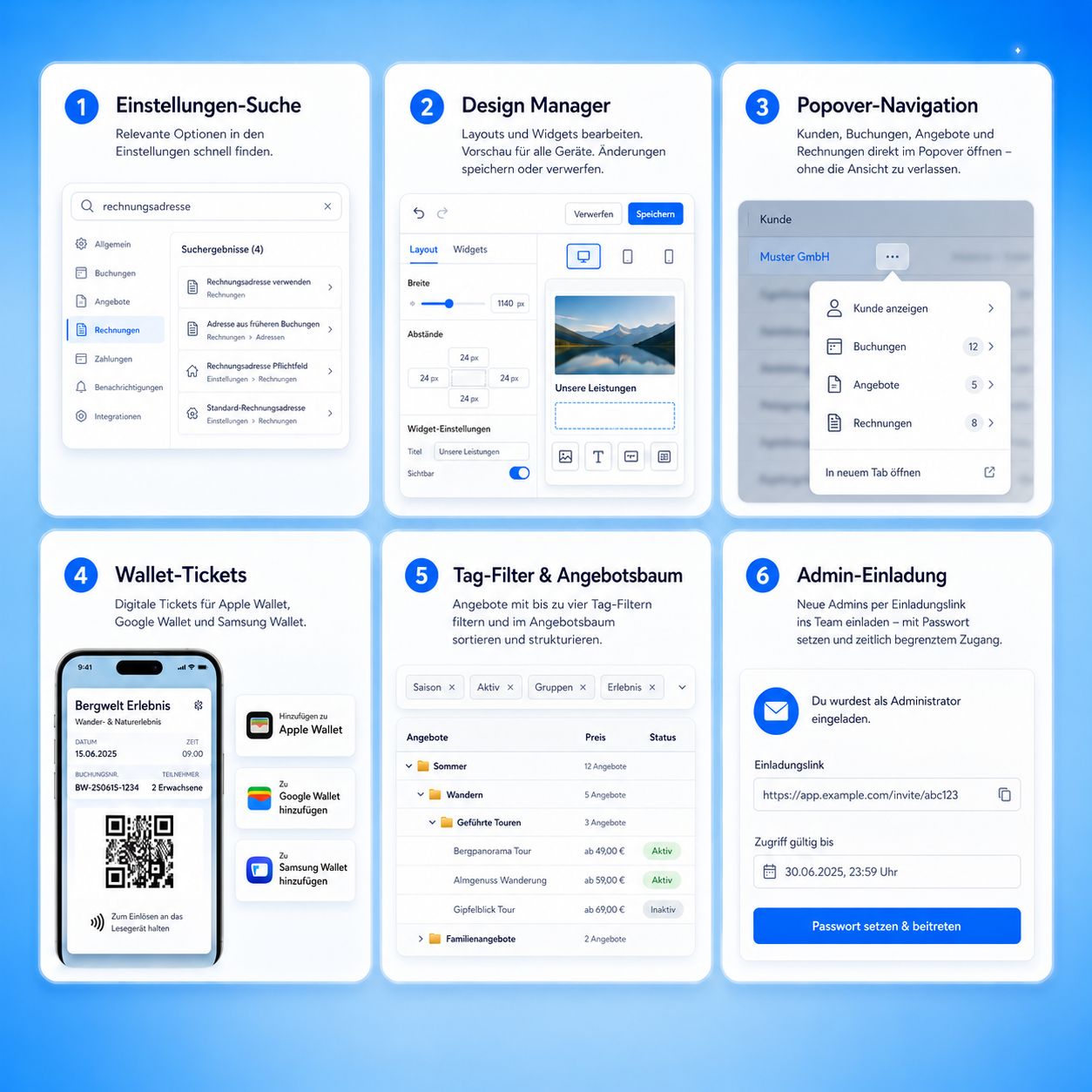
- View and download the QR code for each offer Feature
Release Overview
Updates, new features, and bug fixes
The content is organized by updates, new features, and bug fixes from the original release notes.
-
Manage Admin Avatars and Signatures
New FeatureAdministrators are provided with an upload field and can remove avatar and signature files. Avatars can be used in emails, PDFs, and via the "Avatar Management" column in the "Offers" and "Lessons" widgets. -
Maintain Reverse-Charge Text by Language
New FeatureFor active languages, a custom reverse-charge text can be entered. If no text is provided, the edoobox default is used automatically. -
View and download the QR code for each offer
New FeatureThe offer preview includes a QR code that can be downloaded as an image. This supports check-in scenarios and internal processes. -
Manage public tender documents directly
New FeatureFiles can be uploaded and managed on the course details page. Optionally, these documents are also displayed in the participant's account. -
Enable the file list in the participant account
New FeatureIn the booking widget, you can use a checkbox to control whether a file list is available in the participant's account. -
Schedule the visibility of offers on a time-based basis
New FeatureThe "Visible from" field enables the list view of an offer at a specified time. A validation check ensures that the visibility date is at least 24 hours before the registration deadline. -
Select the booking type for group participants
New FeatureIn the participant front end, you can specify whether group participants are recorded by individual names or only by the number of participants. -
AI Assistant for Text and Translation
New FeatureThe AI assistant can generate, optimize, and translate text into all active languages. A confirmation prompt appears before overwriting existing translations, and a notification is sent upon completion; this feature is available in beta. -
Reduce open slots in capacity planning
New FeatureUnassigned seats may be reduced. This feature is being rolled out gradually. -
Set PDF security more flexibly
New FeatureFor generated PDFs, you can disable encryption or set a password. -
The editor works more consistently with email templates
UpdateThe OS context menu has been standardized, changes are saved more reliably when the window is closed, and the preview for email templates has been improved. In source code mode, the attributedata-bs-slidePermitted. -
Tables and filters have been standardized
UpdateAdditional adjustments ensure a more consistent user experience and improved performance when using tables and filters. -
Email delivery monitoring provides a more accurate assessment of volume
UpdateSmall shipment volumes are better categorized. Dynamic thresholds and quota controls manage warnings and blocks in a more traceable manner.
Stability
Bug fixes and technical improvements
Compiled at the end so it's immediately clear which issues have been resolved and which rough edges have been smoothed out.
- The term “Platzhalter” is used consistently In PDFs and tables, “Platzhalter” is used throughout instead of “Placeholders.”
- Design Manager reminds you of unsaved text blocks When closing text blocks via a pop-up, a save prompt appears again if changes have not yet been saved.
- Certificate button is active only if a certificate is available The button is active for each participant only if a certificate is actually available.
- Invoice table now displays customers correctly again In the table view of invoices, the “Customer” column is now populated correctly again.
- Participant Registration saves all enabled fields Enabled fields, including date of birth, are reliably saved.
- Design Manager field names follow the backend language In the “Link form field” drop-down menu, field names appear again in the backend language.